¶ User Guide: Loyalty Campaigns
Boost purchase earn rates with time-boxed campaigns (double points or a custom multiplier).
Open: Loyalty Campaigns in the app navigation.
Published guide: Loyalty Campaigns
Plan note: Campaigns are available on Premium and Ultimate.
¶ Overview
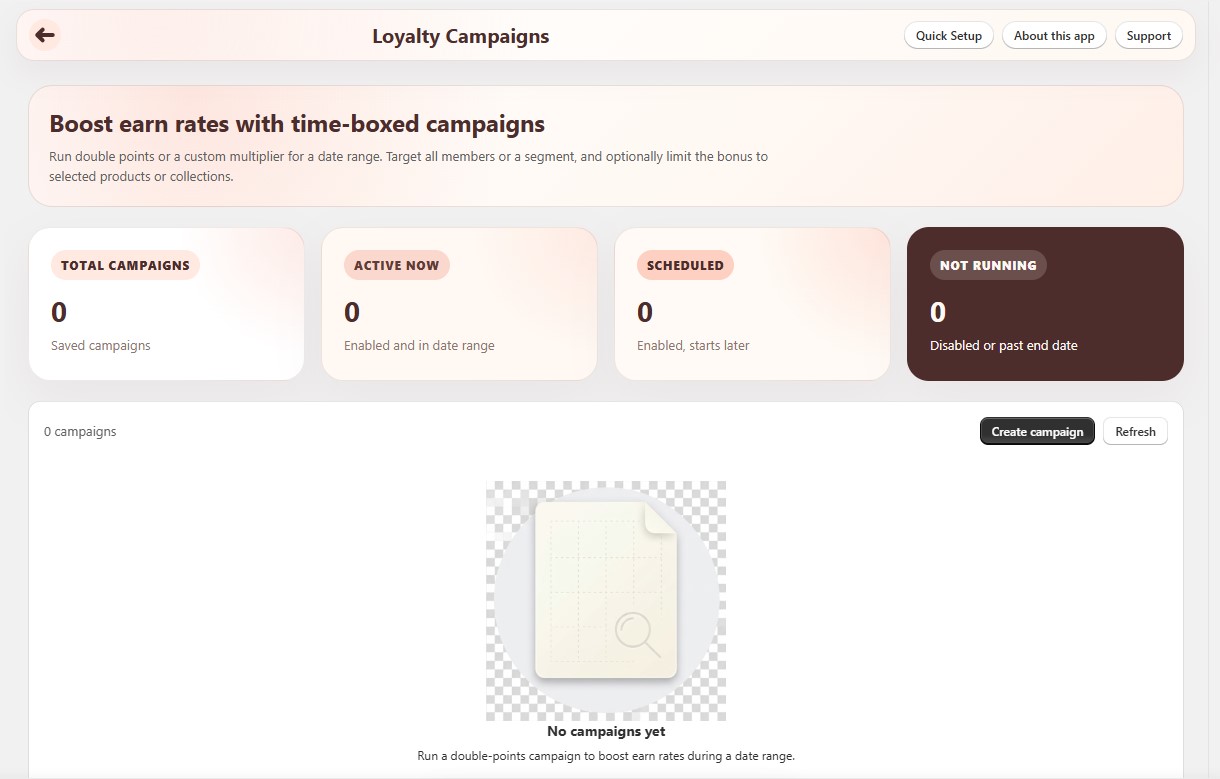
Summary cards show Total campaigns, Active now (enabled and in date range), Scheduled (enabled, starts later), and Not running (disabled or past end date).
Click Create campaign to open the editor.
¶ Create a campaign
- Open Loyalty Campaigns → Create campaign.
- Fill in the fields below, then Save.
- Confirm your normal purchase earn rule under Loyalty Settings → Earn Points still makes sense alongside the campaign.
- During the active window, place a paid test order as a matching member and check points on Loyalty Members.
¶ Campaign fields
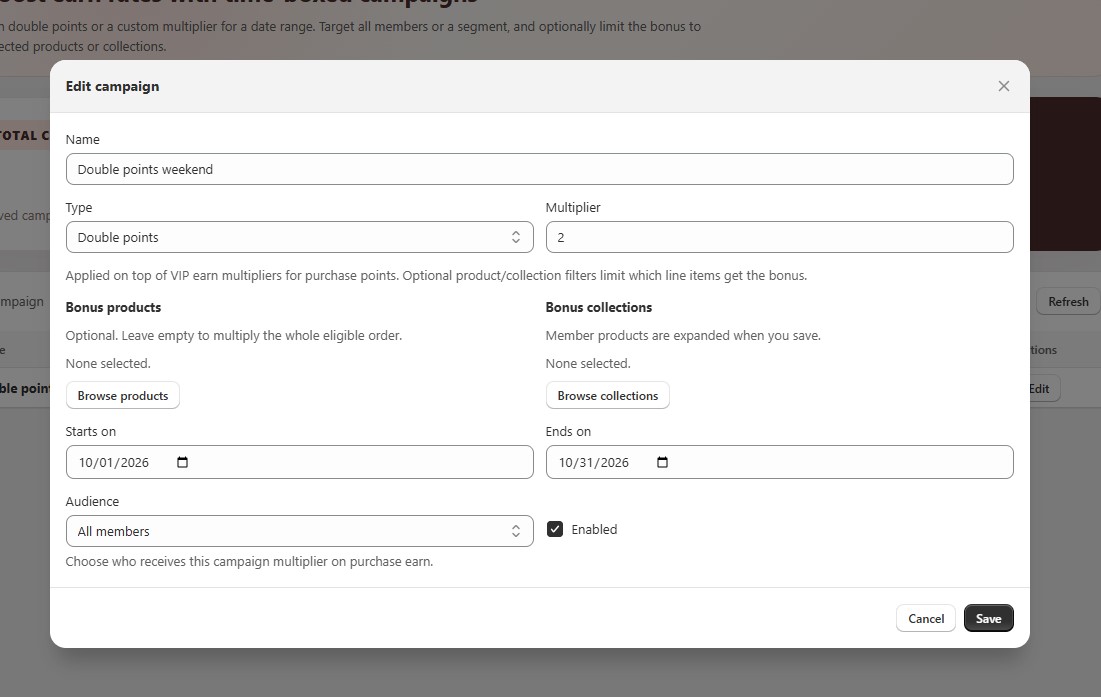
| Setting | What it does |
|---|---|
| Name | Internal label for the list and reporting. |
| Type | Double points (2x) or Custom multiplier. |
| Multiplier | Earn multiplier on purchase points (for example 2 or 1.5). Applies on top of VIP earn multipliers. |
| Bonus products | Optional. Only those products get the bonus. Leave empty for the whole eligible order. |
| Bonus collections | Optional. Collection products are expanded when you save. |
| Starts on / Ends on | Campaign date range. |
| Audience | All members or Segmented audience. |
| Enabled | Turn the campaign on or off without deleting it. |
¶ Segmented audience (optional)
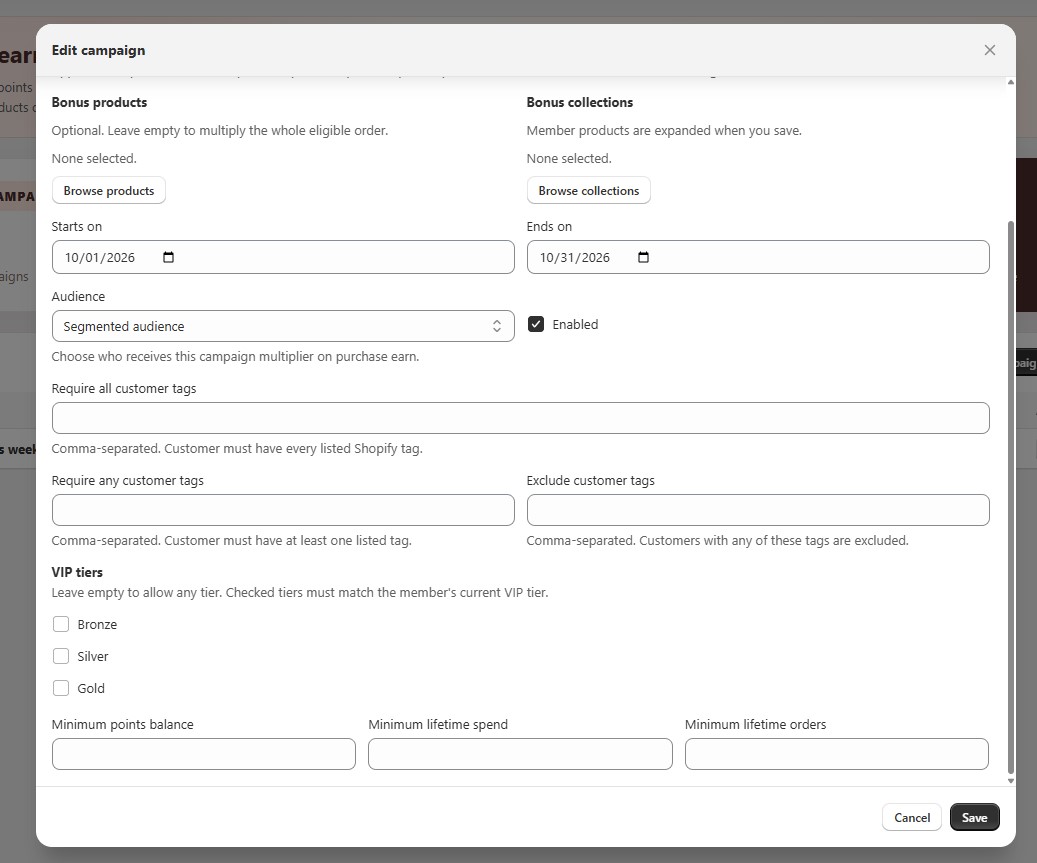
When Audience is Segmented audience, you can narrow who gets the boost:
| Setting | What it does |
|---|---|
| Require all customer tags | Customer must have every listed Shopify tag (comma-separated). |
| Require any customer tags | Customer must have at least one listed tag. |
| Exclude customer tags | Customers with any of these tags are excluded. |
| VIP tiers | Leave empty for any tier; check tiers to require a match. |
| Minimum points balance | Optional balance floor. |
| Minimum lifetime spend | Optional spend floor. |
| Minimum lifetime orders | Optional order-count floor. |
¶ Tips
- Keep campaign dates short and named clearly for Loyalty Reports.
- After the campaign ends, check Points issued by source and a few Loyalty Members balances.
- Product/collection filters only affect which line items get the multiplier - members still need to match the audience.