¶ User Guide: Loyalty Members
Look up members, check balances and tiers, and adjust points when needed.
Open: Loyalty Members in the app navigation.
Published guide: Loyalty Members
¶ List and filters
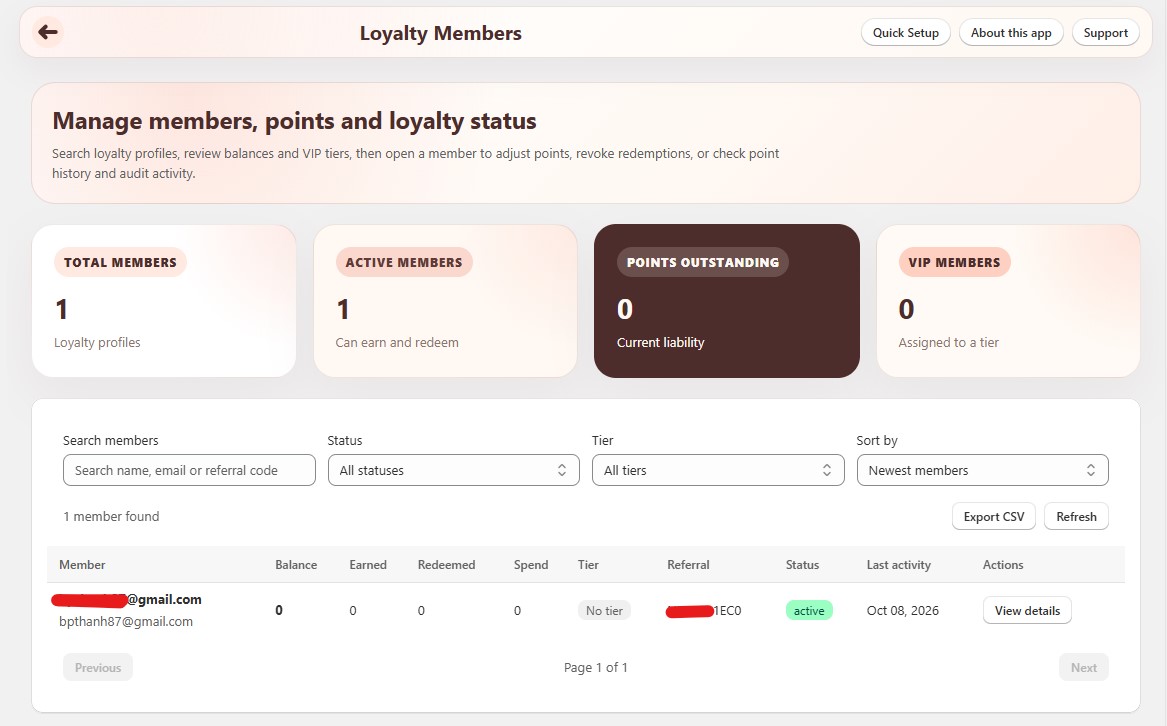
At the top of the page you see summary cards (total members, active members, outstanding points, VIP members when VIP is on).
Use the filters to find someone:
| Filter | What it does |
|---|---|
| Search | Find by name or email. |
| Status | All, Active, Blocked, or Deleted. |
| VIP tier | Filter by current tier (when VIP is enabled). |
| Sort | Newest / oldest, highest / lowest balance, lifetime earned, lifetime spend, or recent activity. |
Click a row to open the member detail drawer. Use Export CSV to download the current filtered list (capped for large stores).
¶ Member detail
The detail view shows:
| Section | What you see |
|---|---|
| Hero | Name, email, status badge, Balance, lifetime Earned, lifetime Redeemed. |
| Profile | Current VIP tier, lifetime spend, customer tags, joined date, last activity. Optional link to the Shopify customer. |
| Loyalty activity | Counts for point transactions, redemptions, tier events, and referrals sent / received. |
| Point history | Ledger of earn and redeem transactions (refresh to reload). |
Exact fields depend on which programs (Referral, VIP) are enabled.
¶ Adjust points
Use this for corrections or goodwill credits - not for approving held referrals.
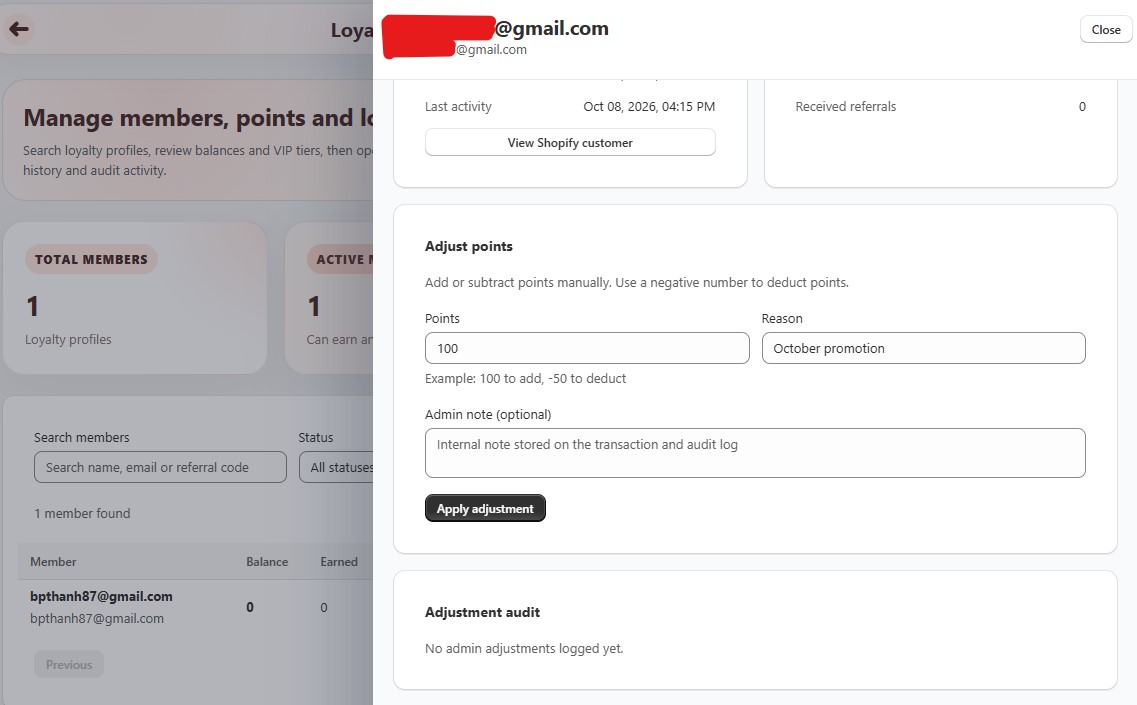
- Open the member.
- Under Adjust points, enter:
- Points - positive to add, negative to deduct (for example
100or-50). - Reason - required (shown on the transaction).
- Admin note - optional internal note.
- Points - positive to add, negative to deduct (for example
- Click Apply adjustment.
- Confirm the new balance and the entry under Adjustment audit and Point history.
¶ Tips
- After a test purchase or redeem, refresh the member detail to confirm the ledger.
- For held referrals, use Loyalty Referral Reviews instead of editing points by hand.
- Compare a member’s balance with totals on Loyalty Reports after a campaign or mission weekend.