¶ User Guide: Loyalty Missions
Reward members for completing missions shown in the storefront loyalty panel.
Open: Loyalty Missions in the app navigation.
Published guide: Loyalty Missions
Plan note: Missions are available on Premium and Ultimate.
¶ Overview
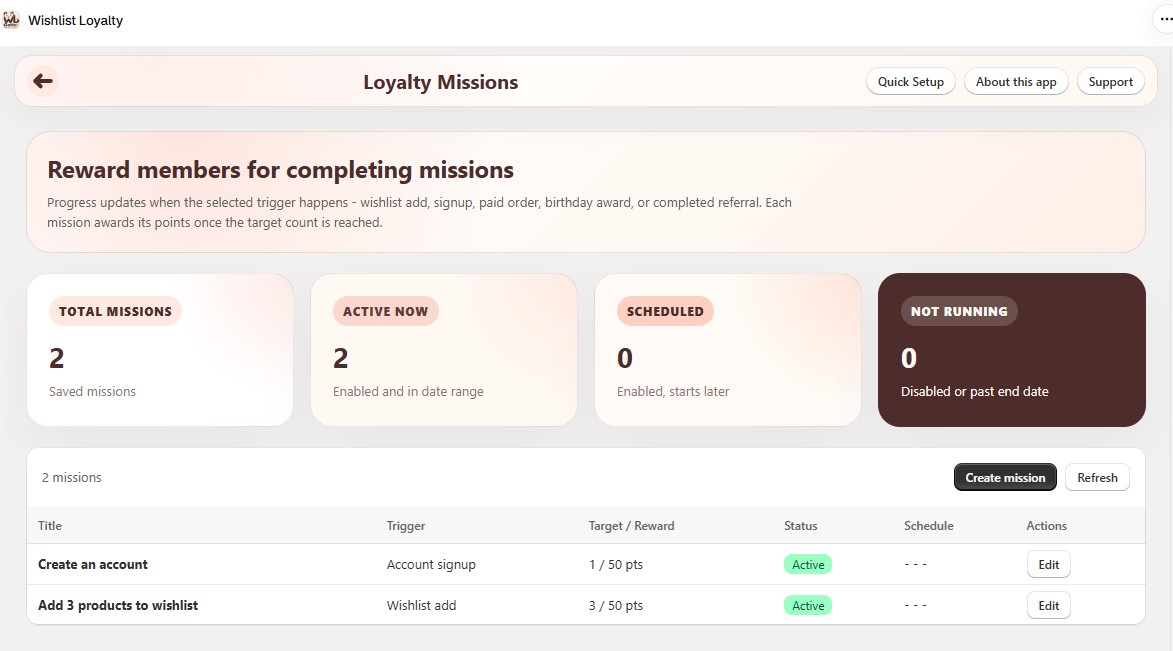
Progress updates when the selected trigger happens. Each mission awards its points once the target count is reached.
Summary cards show Total missions, Active now, Scheduled, and Not running.
¶ Create a mission
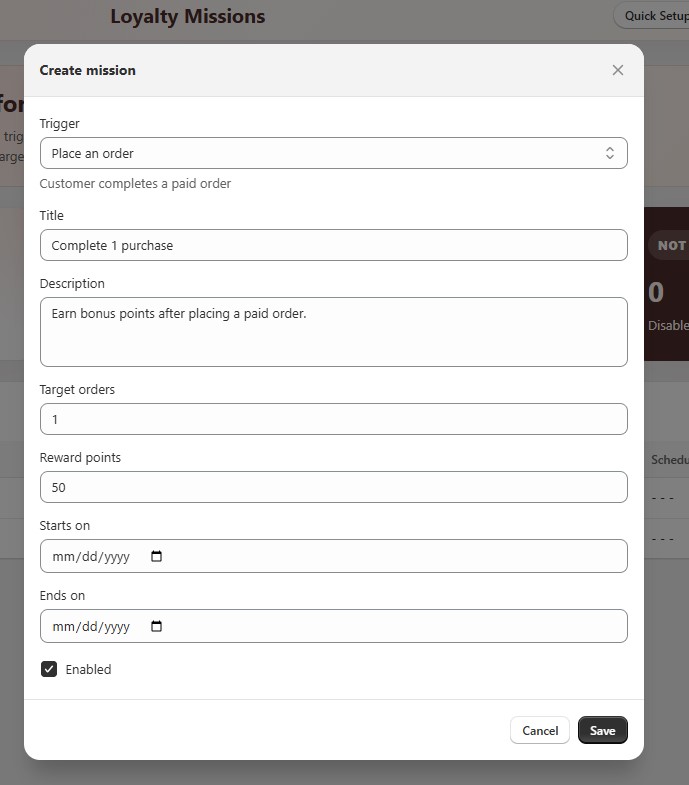
- Open Loyalty Missions → Create mission.
- Choose a Trigger and fill in title, description, target, reward points, and optional dates.
- Check Enabled, then Save.
¶ Triggers
| Trigger | When progress counts |
|---|---|
| Wishlist add | Member adds products to a wishlist. |
| Account signup | Member creates an account / joins loyalty. |
| Place an order | Member completes a paid order. |
| Birthday | Birthday points are awarded (birthday earn must also be on). |
| Referral completed | A referral finishes successfully for the referrer. |
¶ Mission fields
| Setting | What it does |
|---|---|
| Title / Description | Copy shown in the loyalty panel Missions tab. |
| Target count | How many times the trigger must happen (for example 3 wishlist adds). |
| Reward points | Points awarded when the target is reached. |
| Starts on / Ends on | Optional schedule. |
| Enabled | Turn the mission on or off. |
¶ Show missions on the storefront
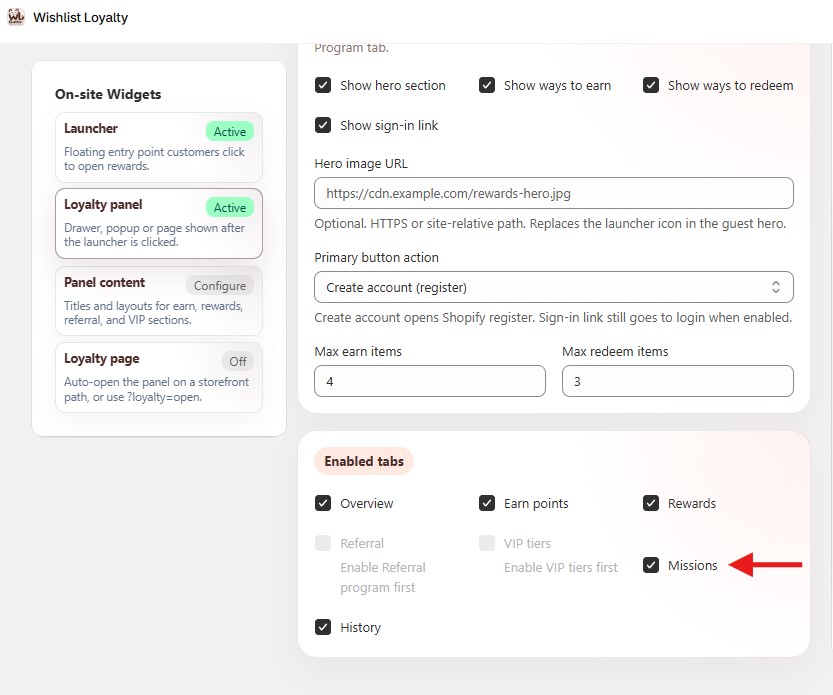
After you create missions, the Loyalty Missions page shows a banner if the panel Missions tab is still off. Use Show Missions on Loyalty Panel to turn it on in one click, or Open widget settings to jump to the Enabled tabs list.
Manual path:
- Open Loyalty Settings → On-site Widgets → Loyalty panel → Enabled tabs.
- Turn on Missions.
- Save widget settings (if you edited them manually) and hard-refresh the storefront.
- Log in as a test customer, open the Rewards panel, open Missions, and complete the mission once.
¶ Tips
- Mission copy should match what the member must do on the storefront.
- If the Missions tab is missing, use the banner on Loyalty Missions, or check plan access and Enabled tabs.
- Birthday missions only advance when birthday earn under Earn Points is also enabled.
- Referral missions need the Referral program on and a completed referral.