¶ User Guide: Loyalty Overview
Use Overview to see a snapshot of earn, redeem, and the launcher, then run Set up loyalty program for a first working program.
Open: Loyalty Settings → Overview
Published guide: Loyalty Overview
¶ Overview
- Summary cards for Earn, Redeem, and Widget.
- Set up loyalty program opens a short wizard for name, colors, purchase rate, and a first reward.
- View App Embed Guide opens steps to enable Gatto Wishlist & Loyalty on the theme.
- If features are locked, the plan card links to See plans.
¶ Set up loyalty program
- Confirm the app embed is on.
- Open Loyalty Settings → Overview → Set up loyalty program.
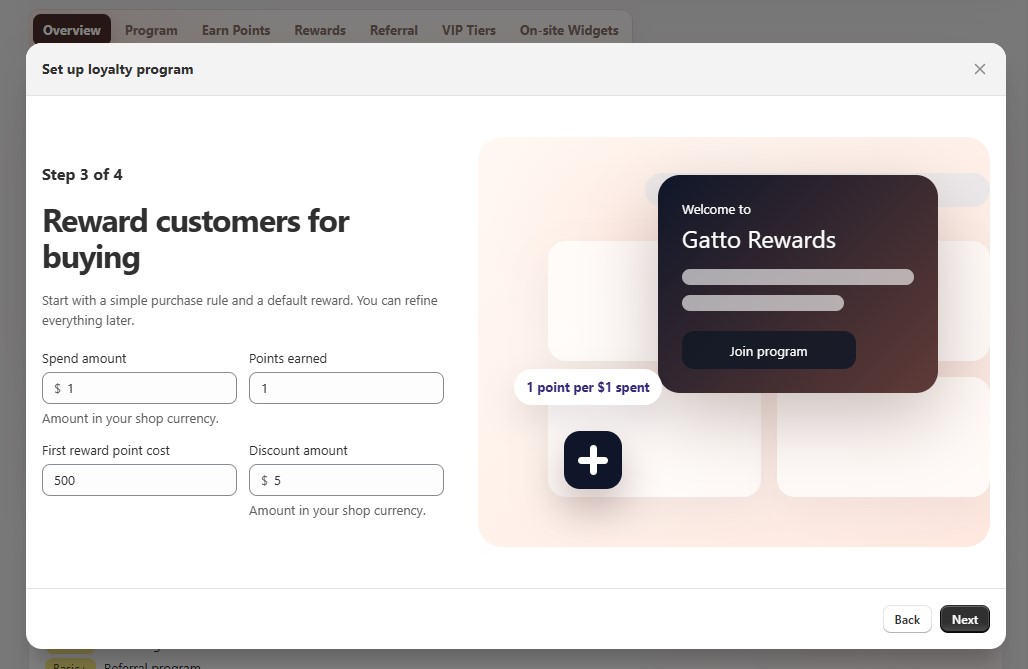
- Follow the 4 steps in the wizard:
- Step 1 - Add a floating launcher so customers can open rewards from any page.
- Step 2 - Set the program name, brand color, launcher icon color, and panel text color.
- Step 3 - Set spend amount and points earned for purchases, plus the first reward point cost and discount value.
- Step 4 - Review the summary, then click Launch your program.
- After launch, refine details under Program, Earn Points, Rewards, and On-site Widgets.