¶ User Guide: Loyalty Program settings
Configure the core loyalty program: on/off, naming, points branding, expiry, purchase earn timing, and member emails.
Open: Loyalty Settings → Program
Published guide: Loyalty Program settings
¶ Before you start
- Enable the app embed on the live theme.
- Open Loyalty Settings → Program.
The left sidebar has five sections. Pick a section, edit the fields, then click Save.
¶ Program identity
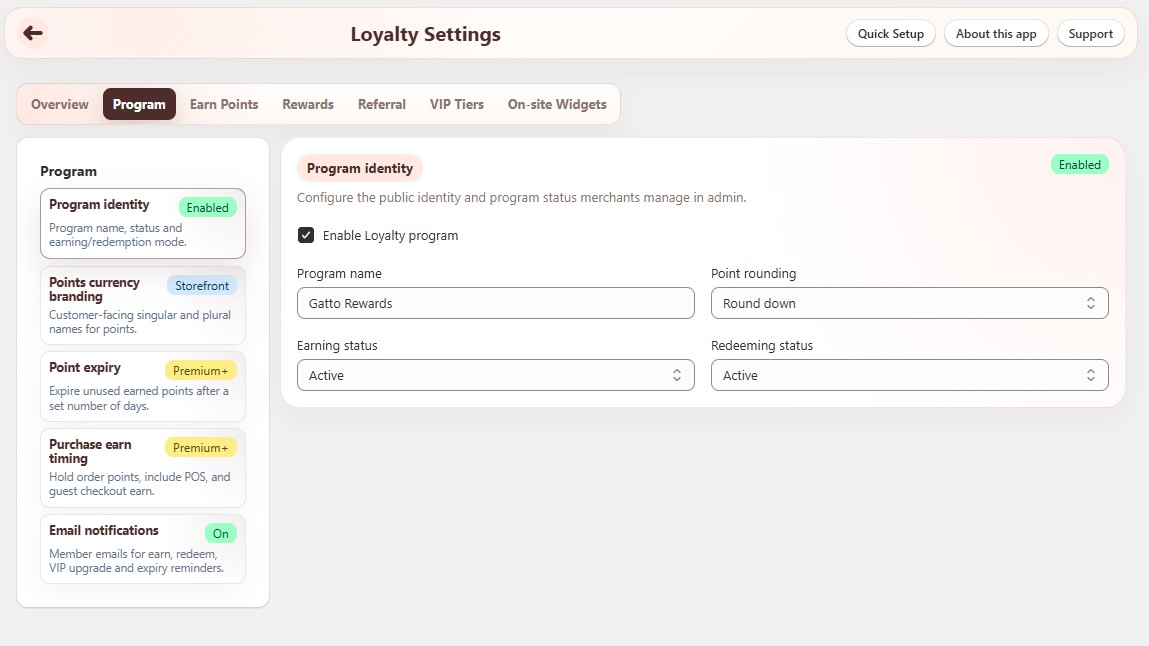
Loyalty Settings → Program → Program identity
| Setting | What it does |
|---|---|
| Enable Loyalty program | Turns the whole program on or off. Badge shows Enabled or Disabled. |
| Program name | Name customers see for your loyalty program. |
| Point rounding | How fractional points are handled: Round down, Round normally, or Round up. |
| Earning status | Active or Paused. Pause earning without turning the whole program off. |
| Redeeming status | Active or Paused. Pause redeeming without turning the whole program off. |
¶ Points currency branding
Loyalty Settings → Program → Points currency branding
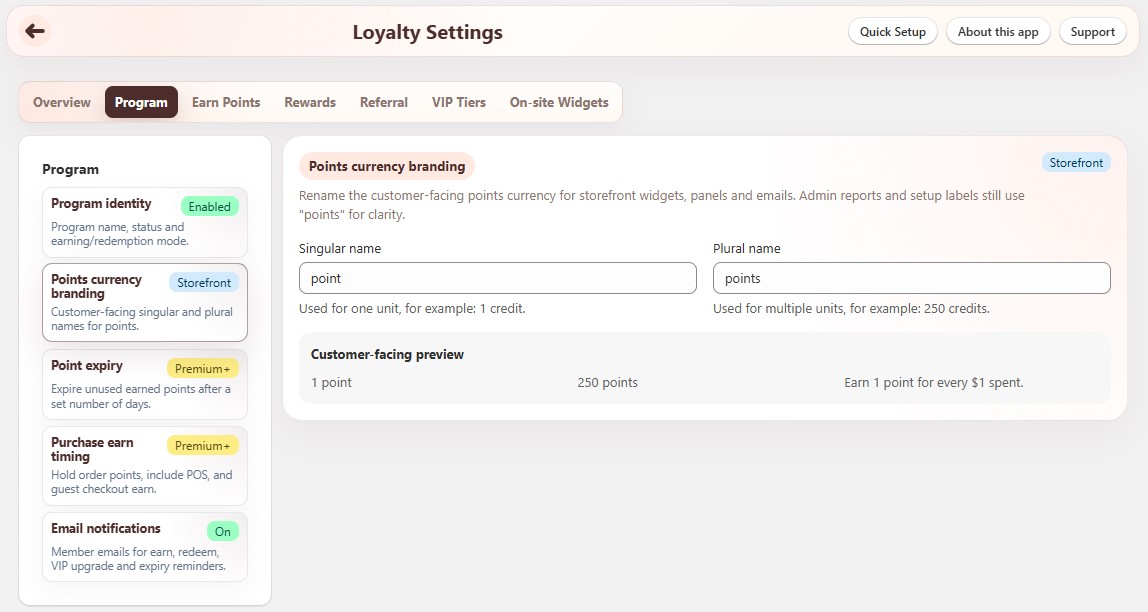
Rename the customer-facing points currency for storefront widgets, panels, and emails.
| Setting | What it does |
|---|---|
| Singular name | Used for one unit (for example credit → “1 credit”). Max 32 characters. |
| Plural name | Used for multiple units (for example credits → “250 credits”). Max 32 characters. |
A Customer-facing preview under the fields shows singular, plural, and an earn example based on your purchase rule.
Admin reports and setup labels still say “points” for clarity.
¶ Point expiry
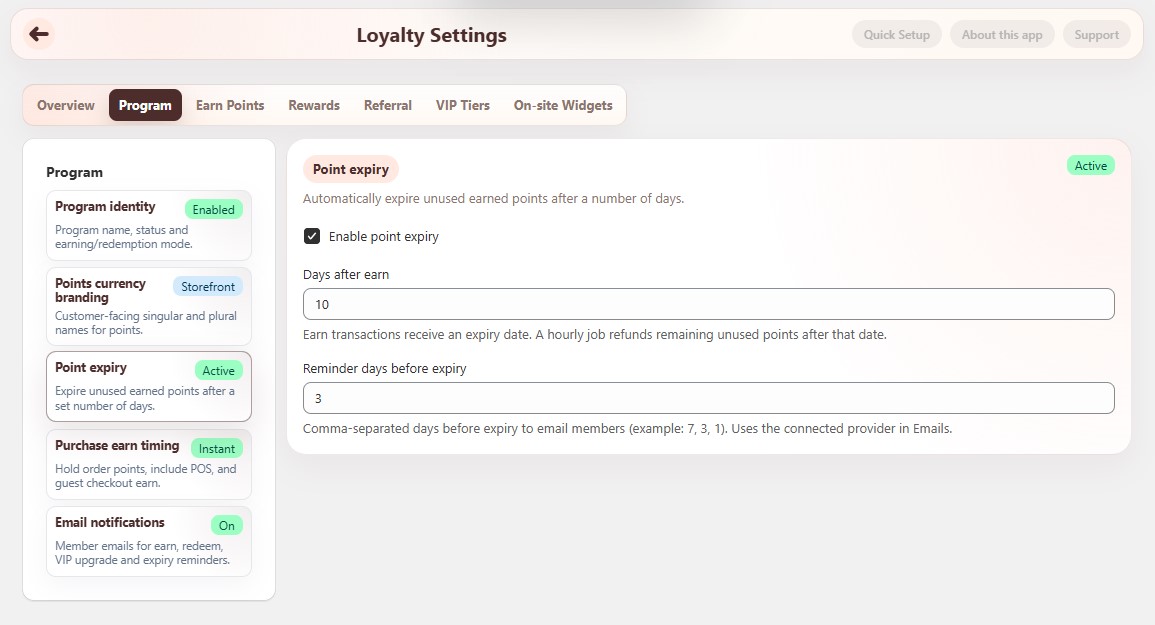
Loyalty Settings → Program → Point expiry
Plan note: Point expiry is available on Premium and above.
| Setting | What it does |
|---|---|
| Enable point expiry | Turns expiry on or off. Badge shows Active or Off. |
| Days after earn | Number of days after points are earned before unused points expire. A scheduled job removes remaining unused points after that date. |
| Reminder days before expiry | Comma-separated days before expiry to email members (for example 7, 3, 1). Uses the connected provider on Emails. |
¶ Purchase earn timing
Loyalty Settings → Program → Purchase earn timing
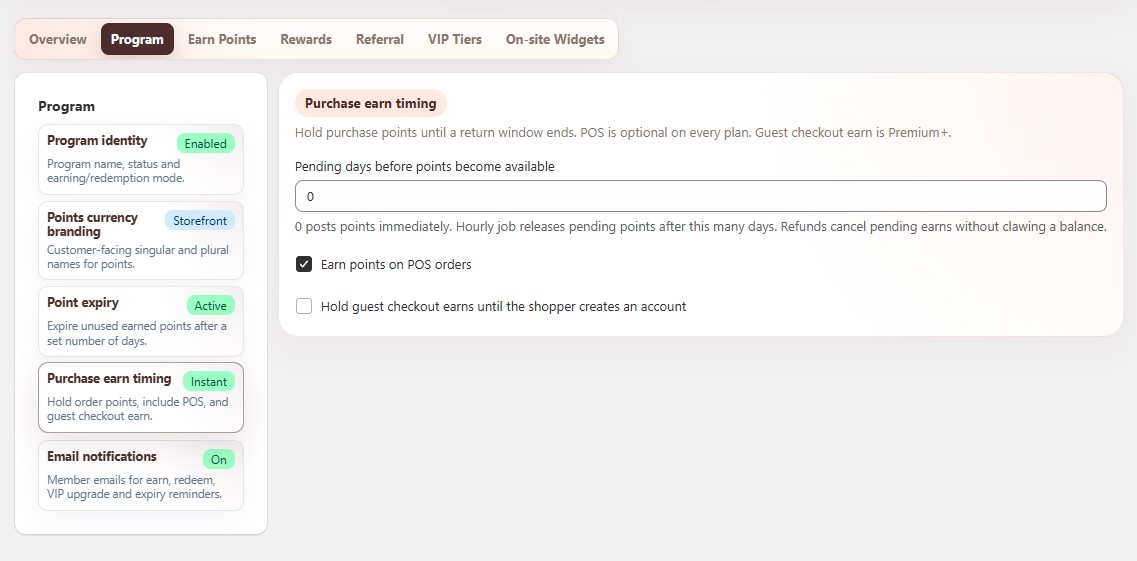
Control when purchase points become spendable, whether POS orders earn, and guest checkout earn.
| Setting | What it does | Plan |
|---|---|---|
| Pending days before points become available | 0 posts points immediately. Higher values hold points for that many days (for example a return window). Refunds cancel pending earns without clawing an already-released balance. |
Premium+ |
| Earn points on POS orders | Include Shopify POS orders in purchase earn. | All plans |
| Hold guest checkout earns until the shopper creates an account | Guest order points wait until the shopper creates / links an account. | Premium+ |
¶ Email notifications
Loyalty Settings → Program → Email notifications
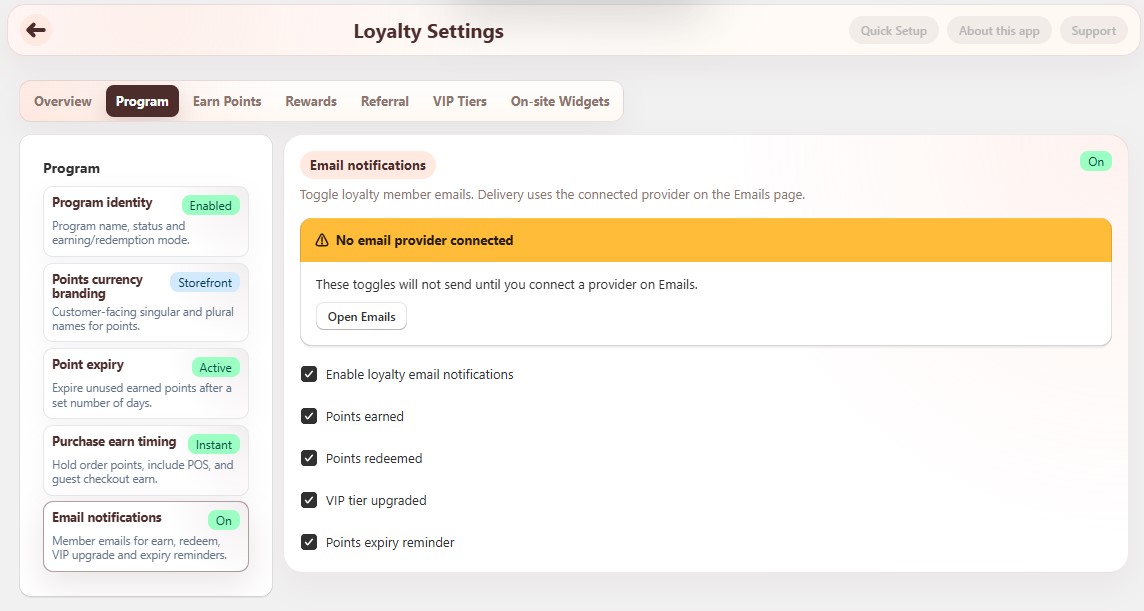
Toggle which loyalty emails can send. Delivery uses the connected provider on Emails.
Connect a provider under Emails. Sending needs Basic and above. If no provider is connected, the toggles will not send until you connect one.
| Setting | What it does |
|---|---|
| Enable loyalty email notifications | Master switch for loyalty member emails. Badge shows On or Off. |
| Points earned | Email when members earn points. |
| Points redeemed | Email when members redeem a reward. |
| VIP tier upgraded | Email when a member moves up a VIP tier. |
| Points expiry reminder | Email before points expire (works with Point expiry reminder days). |
Use Open Emails on the banner to connect or change the provider (Klaviyo, Mailchimp, or SendGrid).
¶ Tips
- You can pause Earning status or Redeeming status without disabling the whole program.
- Point names on the storefront come from Points currency branding. The loyalty program name is separate from Translations.
- After changing expiry, pending days, or email toggles, click Save, then test with a logged-in member account.
¶ Related
- Loyalty Overview - Set up loyalty program wizard
- Set up Loyalty rewards - full checklist
- Earn Points
- Email Settings