¶ User Guide: Open wishlist from a menu item
Add a storefront menu item that opens the wishlist (drawer or wishlist page, depending on Open wishlist settings).
Published guide: Wishlist menu item
¶ Setup
- Confirm the app embed is on.
- Open Shopify Menus (Content → Menus), or use
shopify://admin/menus. - Edit the menu shoppers use (usually the main menu).
- Add menu item.
- Set the name (for example Wishlist).
- In Link, paste:
#gatto-wl-details-button
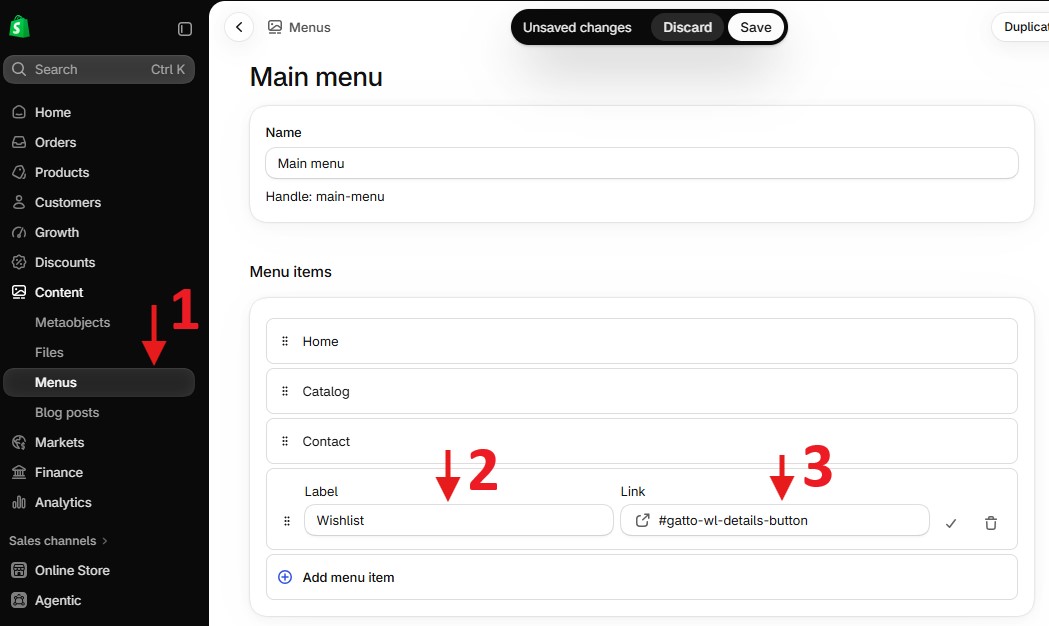
- Save the menu.
The hash link is a hook the app listens for. It does not need to point at a Shopify page.
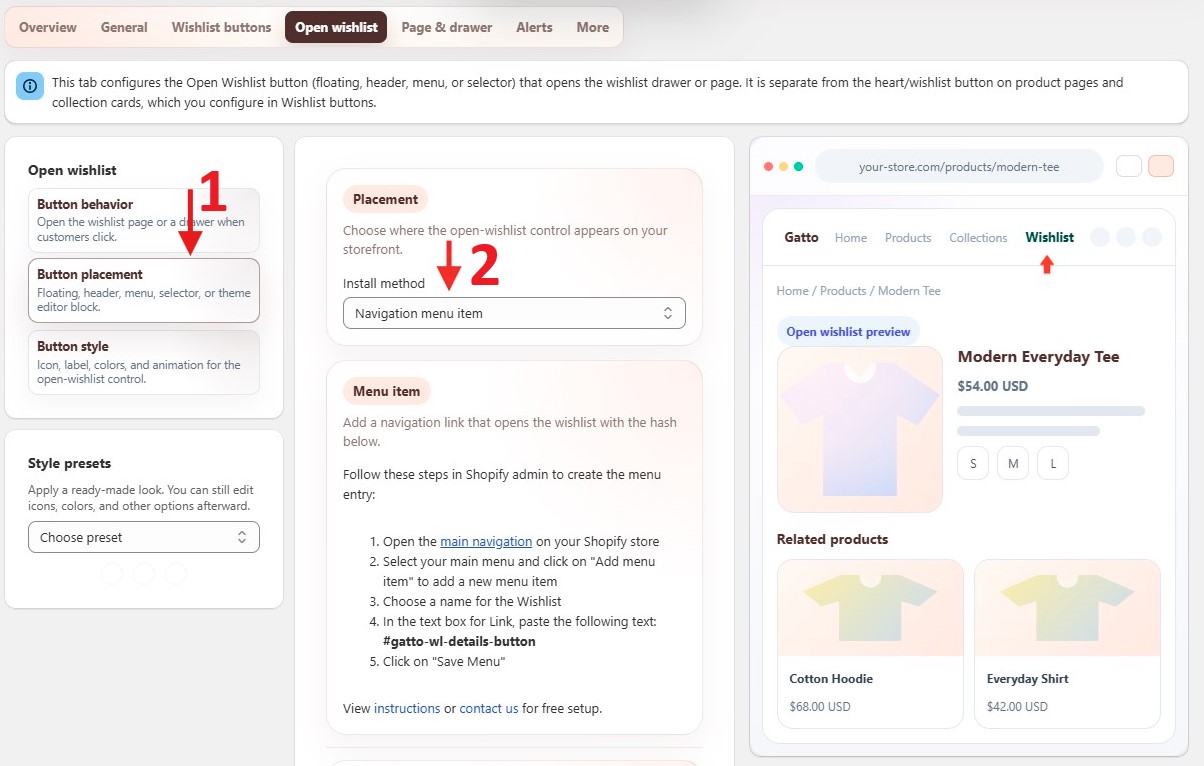
In the app, you can also open Wishlist Settings → Open wishlist → Button placement, choose Navigation menu item, and follow the same steps shown there.
¶ Related settings
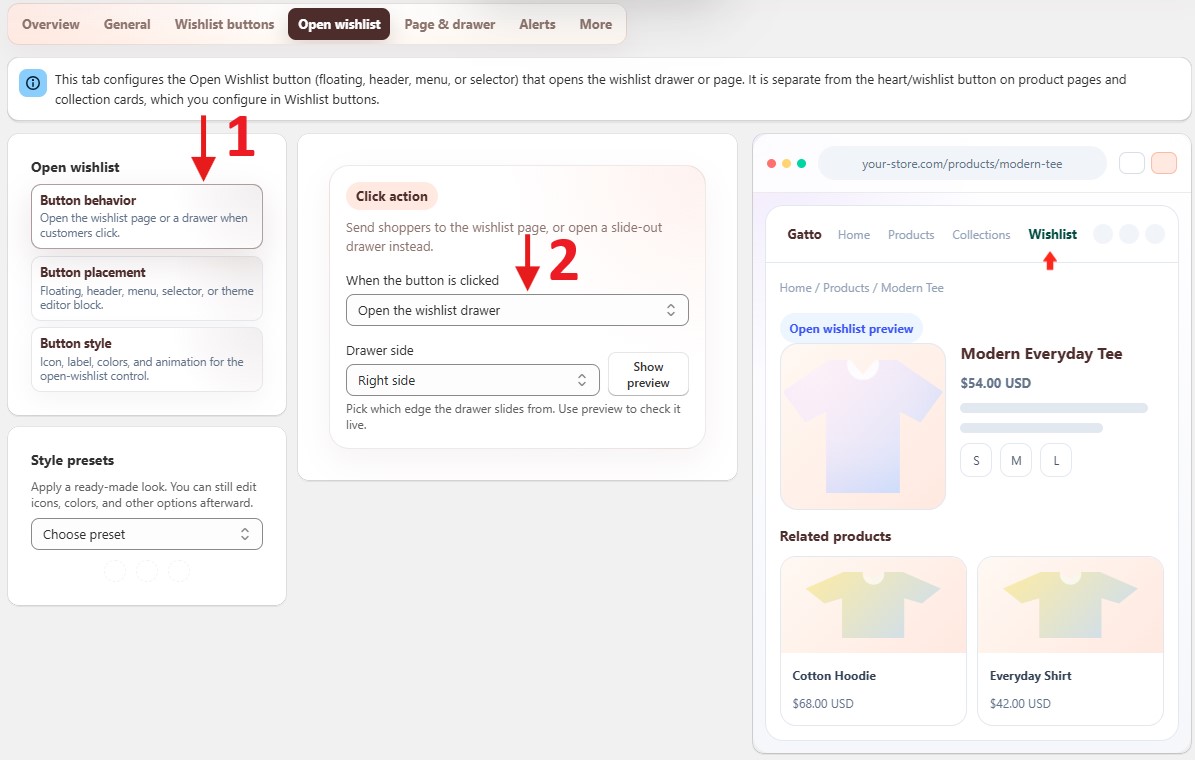
In the app, Wishlist Settings → Open wishlist → Button behavior controls whether the menu item opens the drawer or the wishlist page:
- When the button is clicked → Go to the wishlist page, or
- When the button is clicked → Open the wishlist drawer