¶ User Guide: Email Settings (Klaviyo, Mailchimp, SendGrid)
Connect an email provider so the app can send wishlist and loyalty emails, then choose which events send automatically.
Open: Emails → Email Integrations.
Published guide: Email Settings
| What | Plan |
|---|---|
| Connect and enable a provider, manual sends | Basic+ |
| Automated events (Klaviyo Flow, Mailchimp Journey, SendGrid Transactional) | Premium+ |
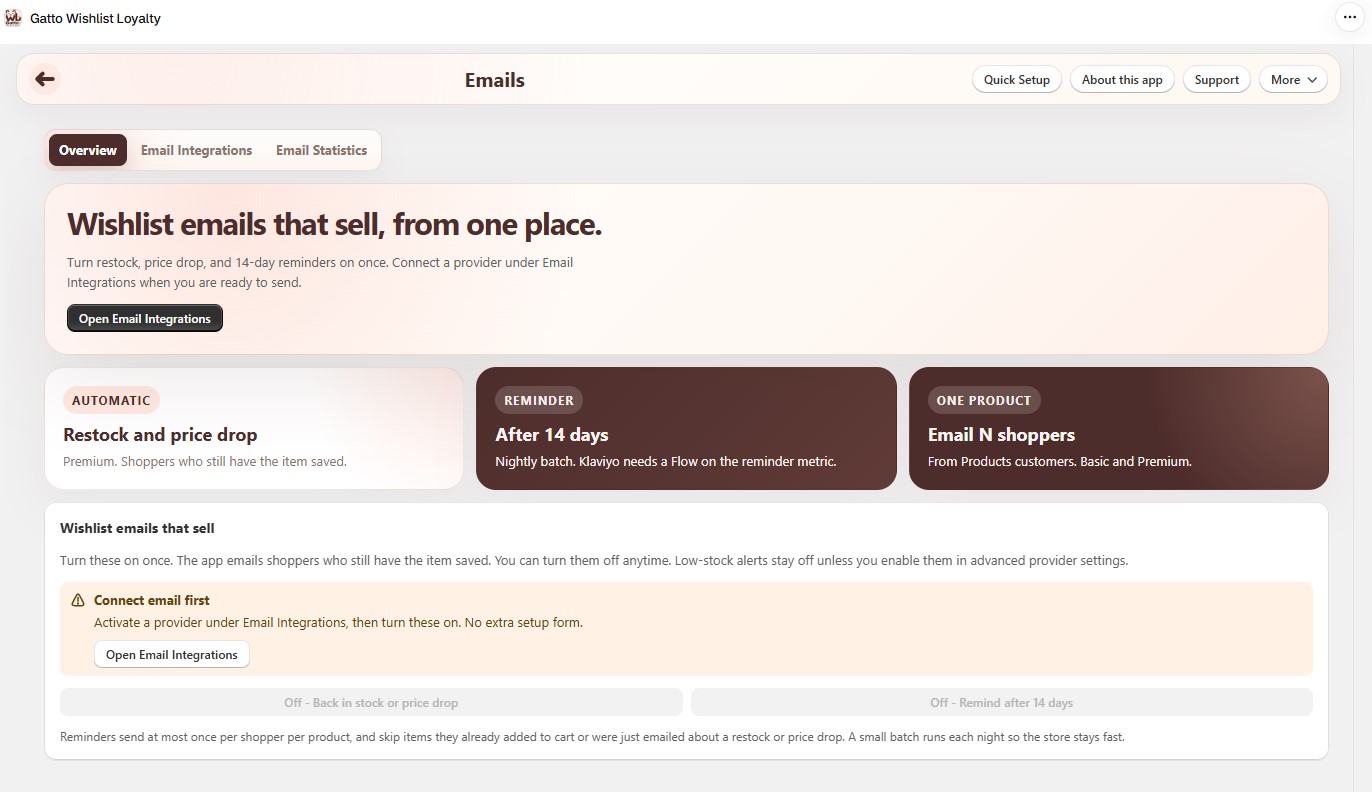
The Emails page has three tabs:
- Overview - wishlist email switches (back in stock / price drop, 14-day reminder).
- Email Integrations - providers and events (this guide).
- Email Statistics - sent, opened, clicked, failed, and skipped emails.
¶ 1. Connect a provider
- Open Emails → Email Integrations.
- Under Providers, select Klaviyo, Mailchimp, or SendGrid.
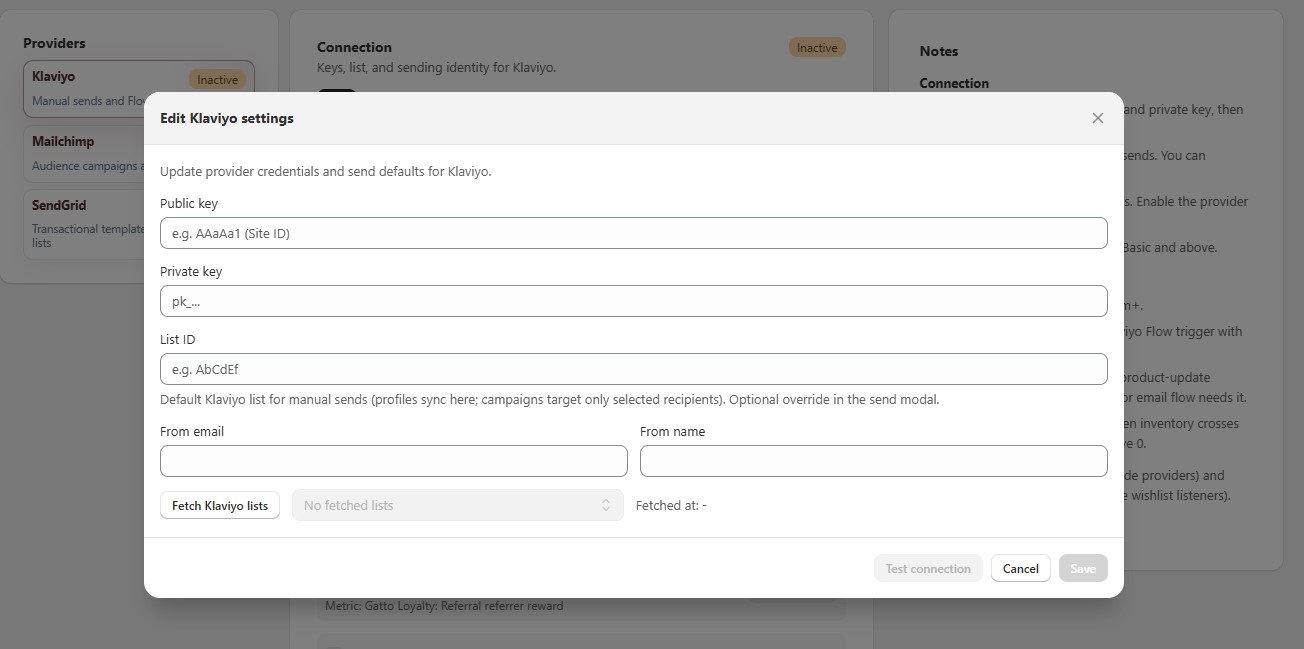
- Click Edit connection and fill in the fields:
| Provider | Fields |
|---|---|
| Klaviyo | Public key (Site ID), Private key, List ID, From email, From name |
| Mailchimp | API key, Server prefix (for example us19), Audience/List ID, From email |
| SendGrid | API key, Marketing List ID (optional), From email, From name |
- Optional: click Fetch Klaviyo lists (or Mailchimp / SendGrid) and choose a list instead of typing the ID.
- Click Save.
¶ 2. Test and enable
- Click Test connection. A Connected badge means the keys work.
- Click Enable this provider. A provider must be enabled before it can send.
- Optional: click Set this provider as default.
The provider list shows a badge for each provider: Default, Active, or Inactive.
¶ 3. Provider Mode Defaults
If more than one provider is active, choose which one is used:
- Default manual provider - for emails you send yourself, such as Email N shoppers from Wishlist Statistics.
- Default automation provider - for automated event emails.
Click Save provider defaults. At least one provider must be active.
¶ 4. Automated events (Premium+)
Available events: Referral friend reward, Referral referrer reward, Points earned, Points redeemed, VIP tier upgraded, Points expiry reminder, Back in stock, Price drop, and Low stock (Klaviyo only).
¶ Klaviyo Flow Events
- Check an event.
- Click Copy metric (for example
Gatto Loyalty: Points earned). - In Klaviyo, create a Flow with Trigger → Metric and that metric name.
For Low stock, set an Inventory threshold. The event fires when inventory drops below that number and is still above 0.
¶ Mailchimp Journey Events
- Check an event. The app tags the shopper in your audience (default tag:
gatto_loyalty_<event>). - Click Copy tag, or enter a Custom tag.
- In Mailchimp, create a Journey that starts when that tag is added.
- Use Sync member + tag test to check the Journey with a test email.
¶ SendGrid Transactional Events
- Check an event.
- Paste the SendGrid Dynamic Template ID (starts with
d-). - Design the email in SendGrid. The app sends it when the event happens.
- Use Send transactional test with a real inbox to check it.
Template variables: email, first_name, last_name, plus event fields such as product_title, product_id, and product_url when available.
¶ Email Statistics
Open Emails → Email Statistics, choose From and To dates, then click View statistics.
- Totals for sent, open rate, click rate, failed, skipped, and bounced. Click a total to see the email logs.
- Loyalty Event Health - loyalty emails sent, failed, and skipped.
- Breakdown by provider, trigger type, and event, plus Recent failed with error messages.
¶ Troubleshooting
| Issue | Tip |
|---|---|
| Buttons are disabled | Connecting providers needs Basic+. Automated events need Premium+. |
| "Please configure this provider before enabling it" | Save the connection keys first. |
| Event enabled but no email | Klaviyo needs a Flow on that metric. Mailchimp needs a Journey on that tag. SendGrid needs a Template ID. |
| Mailchimp tag not applied | Add an Audience/List ID in the connection settings. |
| Test connection fails | Check the keys and server prefix. Make sure the From email is verified in your provider. |
¶ Related
- Klaviyo storefront events - client-side wishlist events, separate from this page
- Loyalty Program settings