¶ User Guide: Loyalty Referral
Run a referral program: friend and referrer rewards, qualification rules, share channels, and fraud checks.
Open: Loyalty Settings → Referral
Published guide: Loyalty Referral
Plan note: Referral is available on Basic and above.
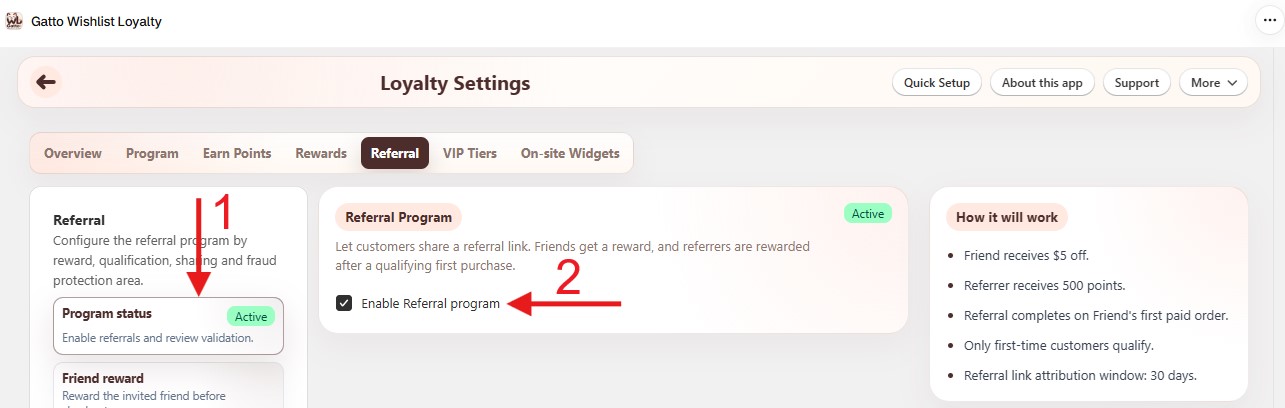
¶ Program status
Loyalty Settings → Referral → Program status
- Enable the Referral program.
- Turn on the Referral tab in On-site Widgets → Loyalty panel → Enabled tabs so members can share from the loyalty panel.
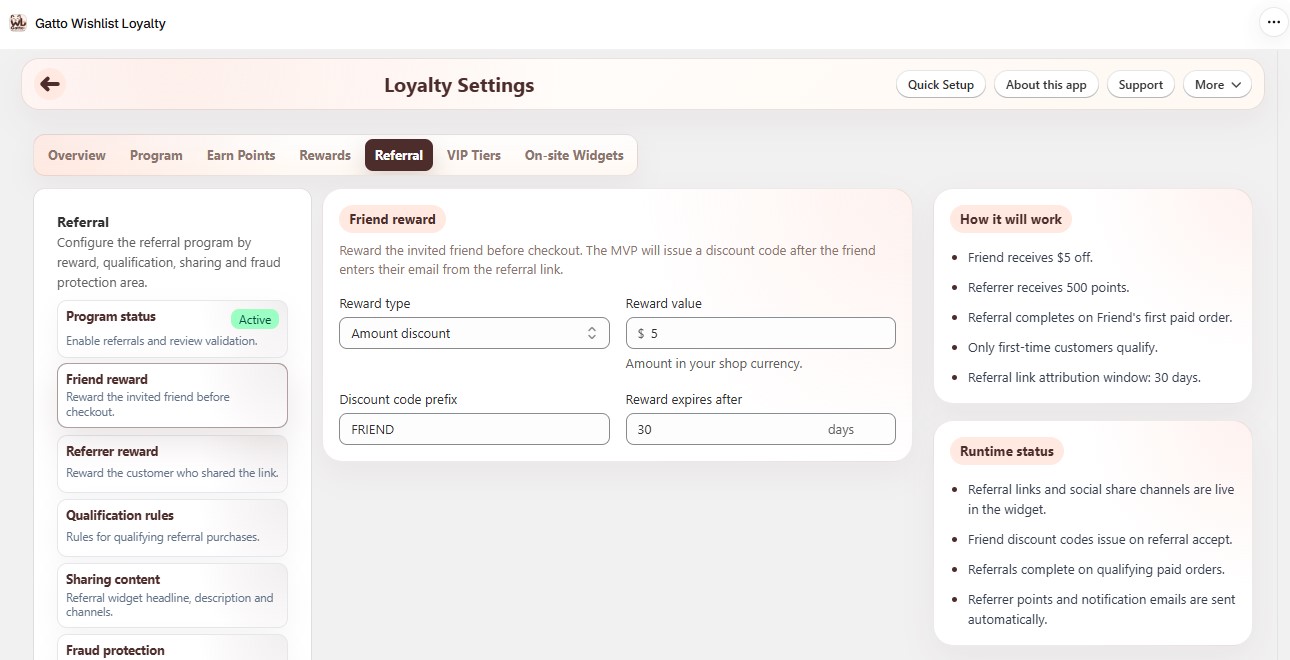
¶ Friend reward
Loyalty Settings → Referral → Friend reward
- Choose reward type (amount discount, percentage discount, or free shipping).
- Set value, discount code prefix, and expiry days.
¶ Referrer reward
Loyalty Settings → Referral → Referrer reward
- Choose give points, amount discount, or percentage discount.
- Set points or discount value, plus code settings when the reward is a discount.
¶ Qualification rules
Loyalty Settings → Referral → Qualification rules
- Complete referral when - friend's first paid order, first fulfilled order, or after a return window.
- Minimum order amount and attribution window (days).
- Optionally only reward first-time customers.
- Set return window days when using “After return window”.
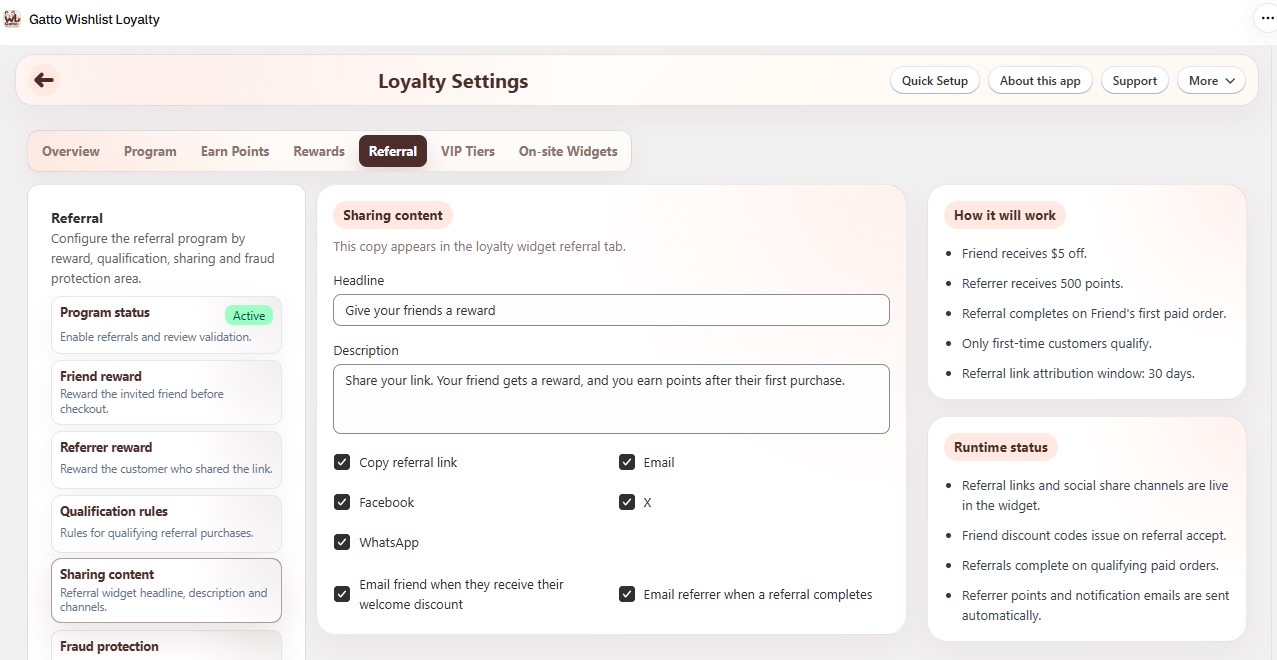
¶ Sharing content
Loyalty Settings → Referral → Sharing content
- Headline and description for the share experience.
- Channels: Copy referral link, Email, Facebook, X, WhatsApp.
- Optional emails when the friend gets a welcome discount or when a referral completes.
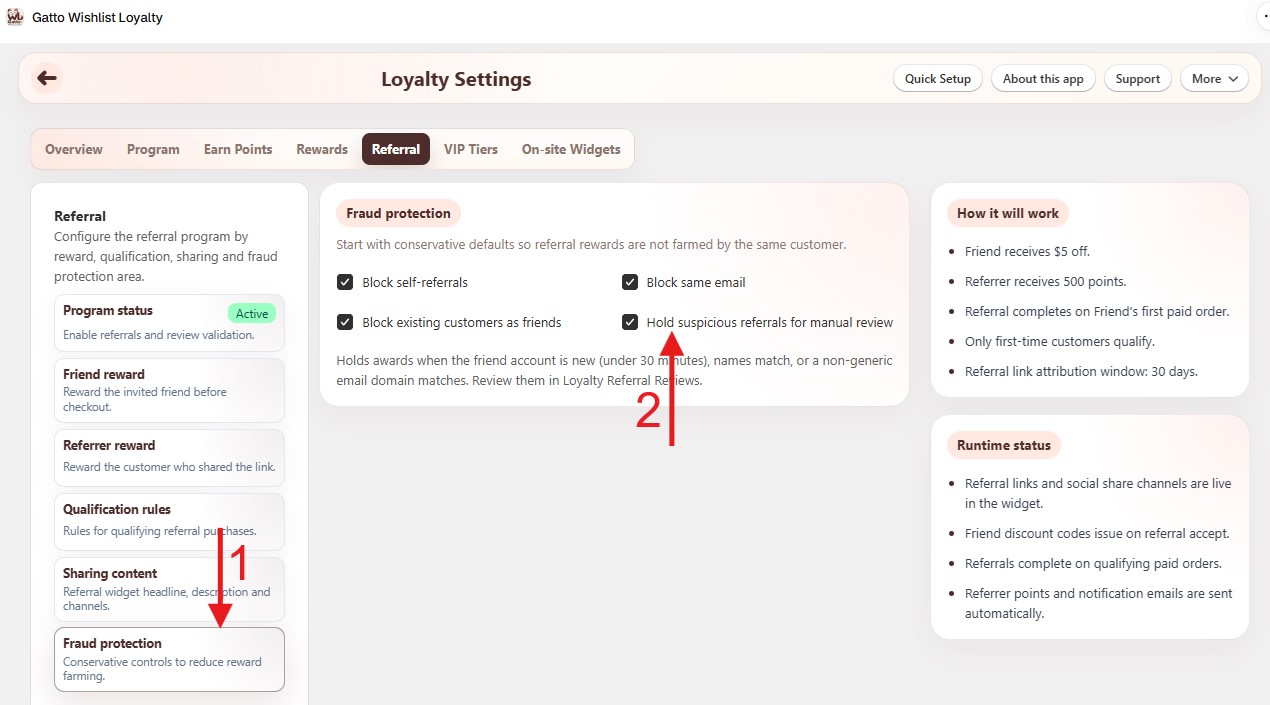
¶ Fraud protection
Loyalty Settings → Referral → Fraud protection
- Block self-referrals, same email, or existing customers as friends.
- Hold suspicious referrals for manual review - approve or reject them under Loyalty Referral Reviews.
¶ Tips
- Turn on the Referral tab in On-site Widgets or members cannot share from the loyalty panel.
- Match Complete referral when to how you fulfill orders so awards are not delayed or fired too early.
- Held referrals stay pending until you act on Loyalty Referral Reviews - do not clear them with manual point adjustments.
- After a successful test referral, confirm friend and referrer rewards on Loyalty Members.