¶ User Guide: Loyalty On-site Widgets
Configure the Rewards launcher and loyalty panel members see on the storefront. Earn, Rewards, Referral, and VIP copy live inside the panel (Panel content) - they are not separate floating widgets.
Open: Loyalty Settings → On-site Widgets
Published guide: Loyalty On-site Widgets
¶ Before you start
- Enable the app embed.
- Enable the loyalty program under Program → Program identity.
¶ What appears on the storefront
| Surface | What it is |
|---|---|
| Launcher | Floating button that opens the loyalty panel |
| Loyalty panel | Drawer / popup / page with tabs (Overview, Earn, Rewards, …) |
| Panel content | Titles, layouts, and guest sections inside those panel tabs |
| Loyalty page | Optional path that auto-opens the panel |
There are no separate floating Earn or Rewards widgets.
¶ Launcher
Loyalty Settings → On-site Widgets → Launcher
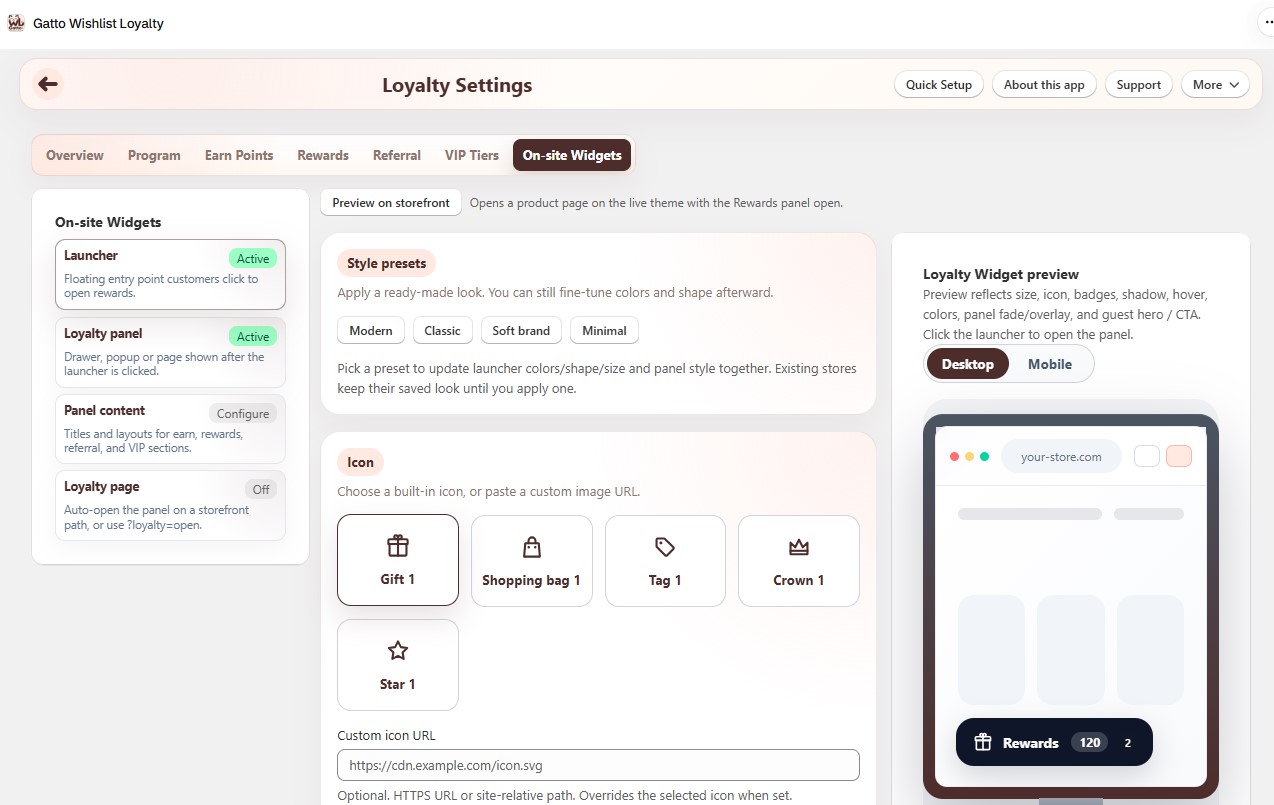
- Apply a style preset (Modern, Classic, Soft brand, Minimal), then fine-tune.
- Modern is the recommended look for new stores (neutral dark, rounded).
- Classic keeps the legacy purple pill.
- Pick a built-in icon or paste a custom icon URL (HTTPS or site path).
- Set brand, icon, and text colors, button shape, border radius, and size (S / M / L).
- Choose desktop and mobile display modes.
- Choose how Rewards sits with the Wishlist floating button:
- Opposite corners (recommended) - desktop puts Rewards on the other side; mobile stacks both on one side.
- Stack in the same corner - Rewards lower, Wishlist above, with a gap.
- Custom placement only - use your position and spacing with no auto adjustment.
- Set side/bottom spacing (and position when layout is Custom).
- Optionally show points balance and redeemable rewards count on the launcher for logged-in members.
- Motion: launcher shadow, hover scale, iOS safe-area inset, and optional hide while scrolling down.
- Hide while scrolling is off by default. Turn it on only if you want a cleaner scroll on long pages; the button reappears when scrolling up or near the top, and stays visible while the panel is open.
- Raise stacking order (z-index) if a theme widget covers the launcher.
- Control visibility: devices; hide on homepage / collections / blog / cart / checkout; or hide on specific URLs (path or full URL).
- Use Preview on storefront after saving.
¶ Loyalty panel
Loyalty Settings → On-site Widgets → Loyalty panel
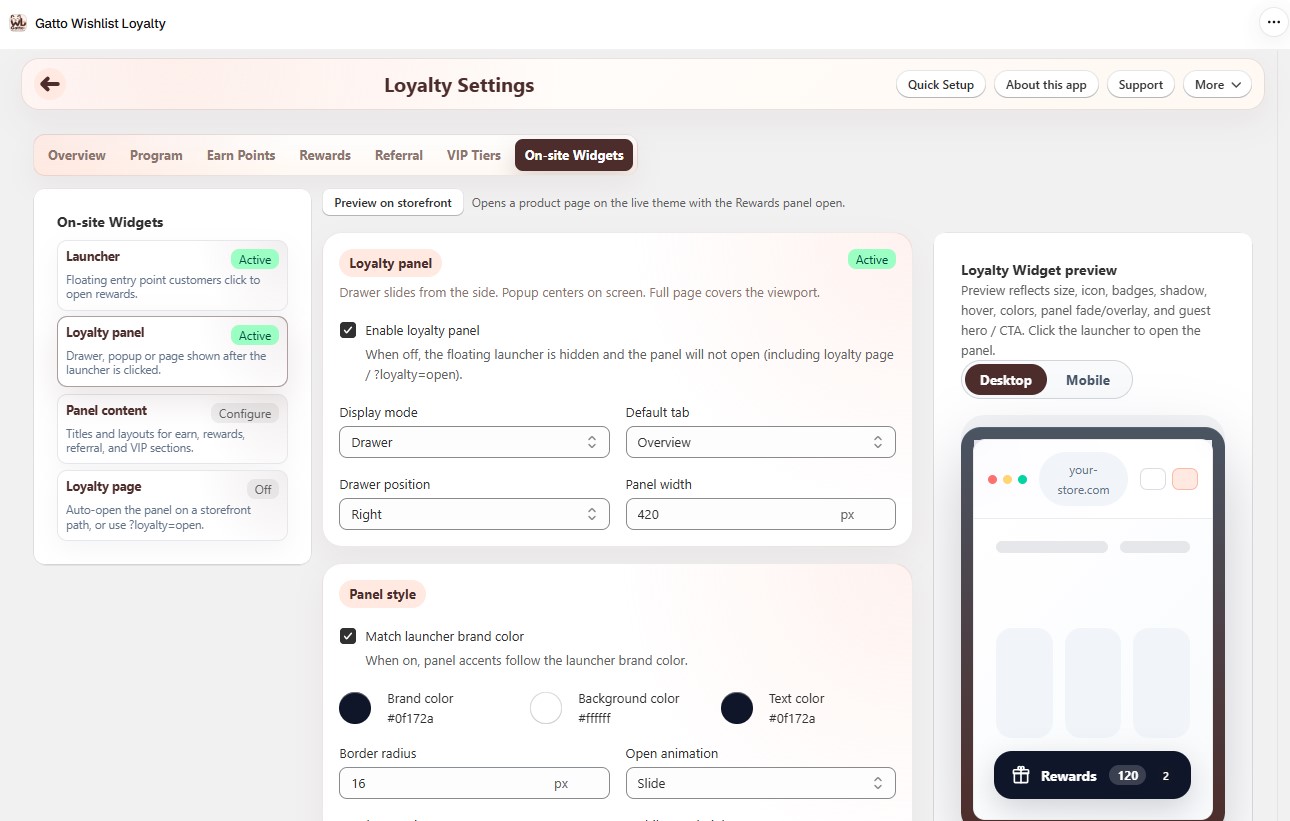
- Enable the loyalty panel.
- Display mode - Drawer (side), Popup (centered), or Full page. Drawer and popup use the configured width; full page fills the viewport.
- Default tab; for Drawer also set position (left/right).
- Guest view - hero (optional image URL), ways to earn / redeem, primary button (sign in vs create account), sign-in link, max items shown.
- Enabled tabs - Overview, Earn points, Rewards, History; optionally Referral (Basic+, program on), VIP tiers (Premium+, VIP on), Missions (Premium+).
- Panel style - match launcher brand color, or set brand / background / text colors, border radius, open animation (slide or fade), overlay opacity, and mobile max height.
¶ Panel content
Loyalty Settings → On-site Widgets → Panel content
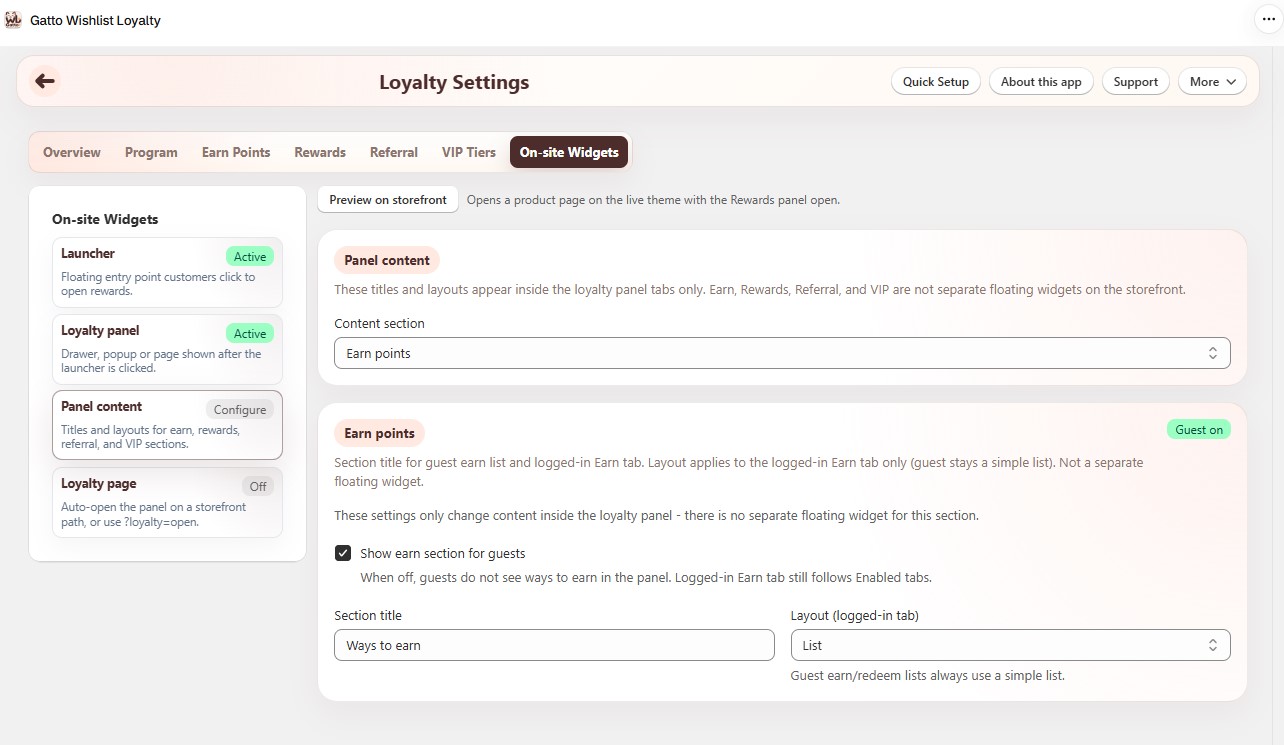
Configure section titles, layouts, and guest visibility for Earn, Rewards, Referral, and VIP inside the loyalty panel only.
- These are not separate floating widgets on the theme.
- Earn / Rewards “enable” controls the guest panel sections; logged-in tabs still follow Loyalty panel → Enabled tabs.
- Referral / VIP “enable” turns that tab’s panel content on or off (program + tab must still be enabled).
¶ Loyalty page
| Setting | What it does | Plan note |
|---|---|---|
| Loyalty page | Path (or full URL) that auto-opens the panel; also ?loyalty=open. Works with launcher off. |
Basic+ |
¶ Tips
- Keep Overview, Earn, Rewards, and History enabled for a complete program.
- Place the launcher so it does not cover theme cart or menu controls. Prefer Opposite corners or Stack when Wishlist floating is also on.
- New installs start with the Modern preset look; existing stores keep their saved colors until you apply a preset.
- Leave hide while scrolling off unless you need it - it only attaches a light scroll listener when enabled.
- A Loyalty page path auto-opens the panel even if the floating launcher is hidden or turned off.
- Test logged-in and guest views on desktop and mobile.