¶ User Guide: Loyalty VIP Tiers
Create VIP tiers based on points, spend, or orders. Set multipliers, perks, entry rewards, and downgrade behavior.
Open: Loyalty Settings → VIP Tiers
Published guide: Loyalty VIP Tiers
Plan note: VIP Tiers are available on Premium and above.
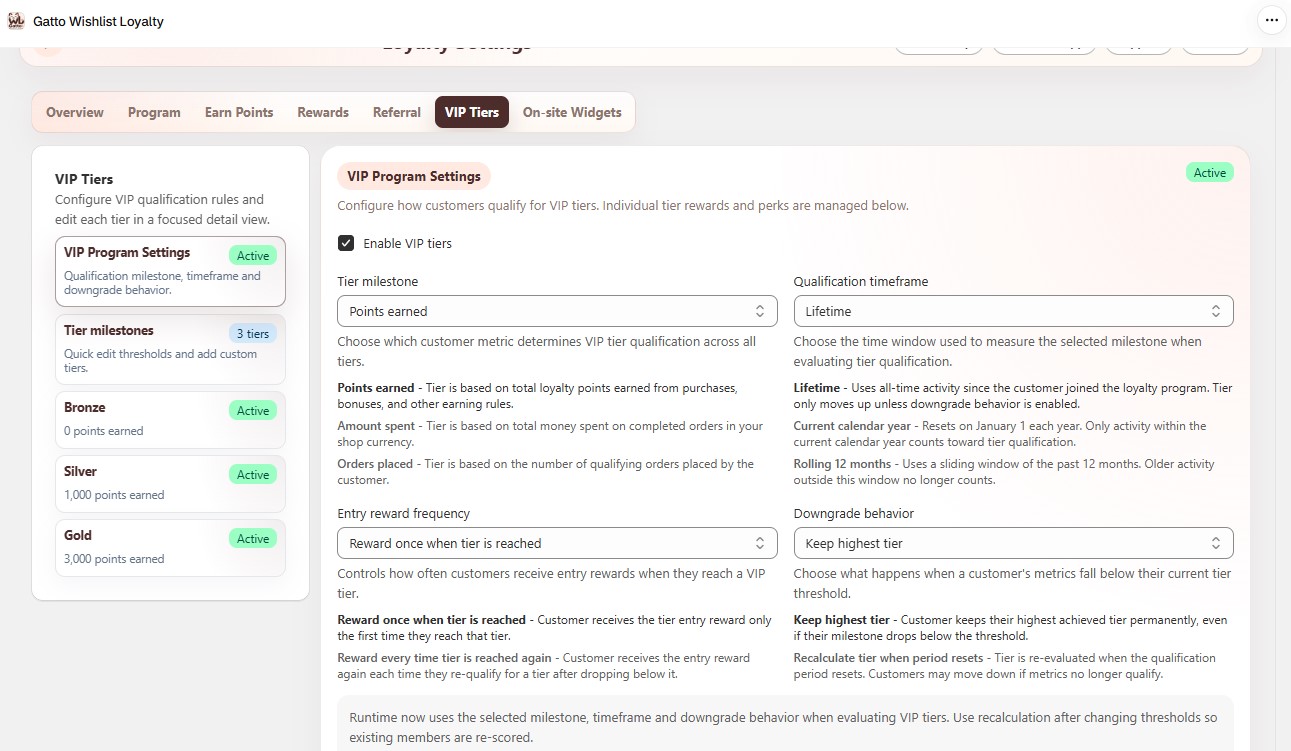
¶ VIP Program Settings
Loyalty Settings → VIP Tiers → VIP Program Settings
- Enable VIP tiers.
- Tier milestone - Points earned, Amount spent, or Orders placed.
- Qualification timeframe - Lifetime, current calendar year, or rolling 12 months.
- Entry reward frequency - once per tier, or every time they enter.
- Downgrade behavior - keep highest tier, or recalculate when the period resets.
- Use Recalculate actions when you need to refresh member tiers after rule changes.
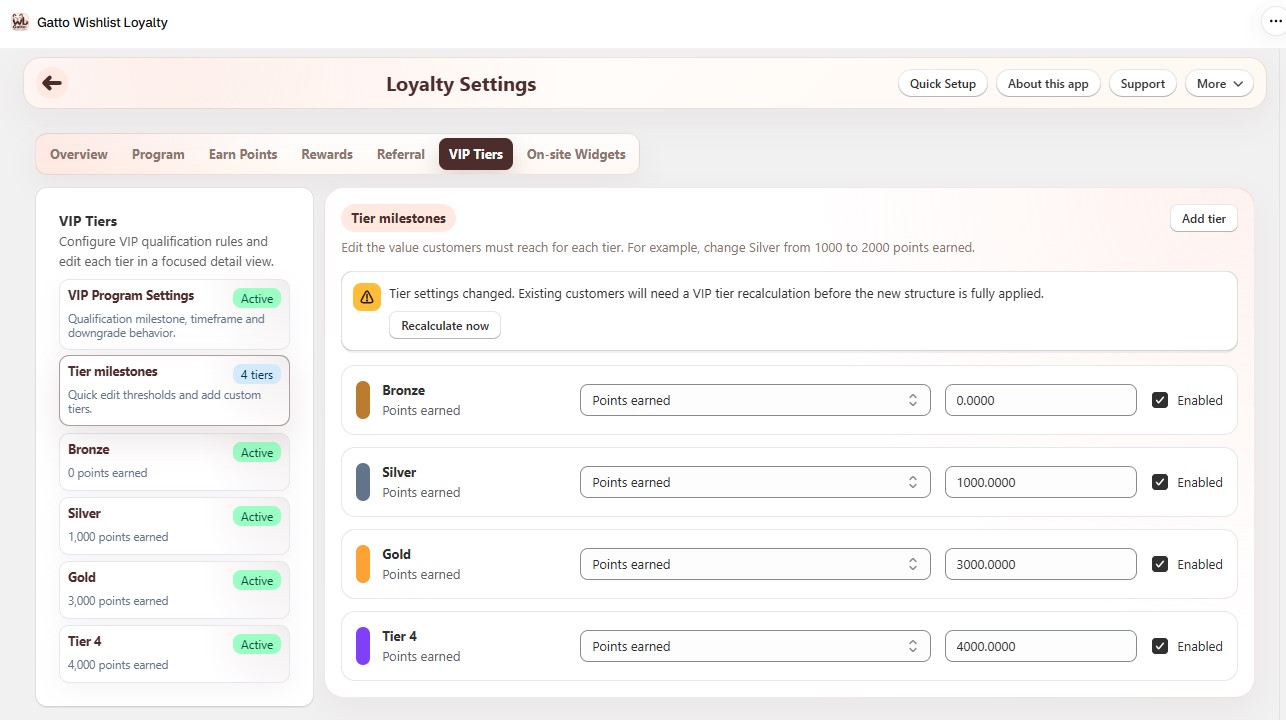
¶ Tier milestones
Loyalty Settings → VIP Tiers → Tier milestones
- Add tier and set milestone value and enabled state for each tier.
- Open a tier in the left list for full details.
¶ Per-tier settings
For each tier:
- Tier details - name, display order, milestone type and value.
- Benefits - point multiplier, Shopify customer tag, perks shown to customers, tier color.
- Entry reward - none, give points, or issue a discount code (amount/percent, prefix, expiry).
- Enable or disable the tier.
¶ Storefront
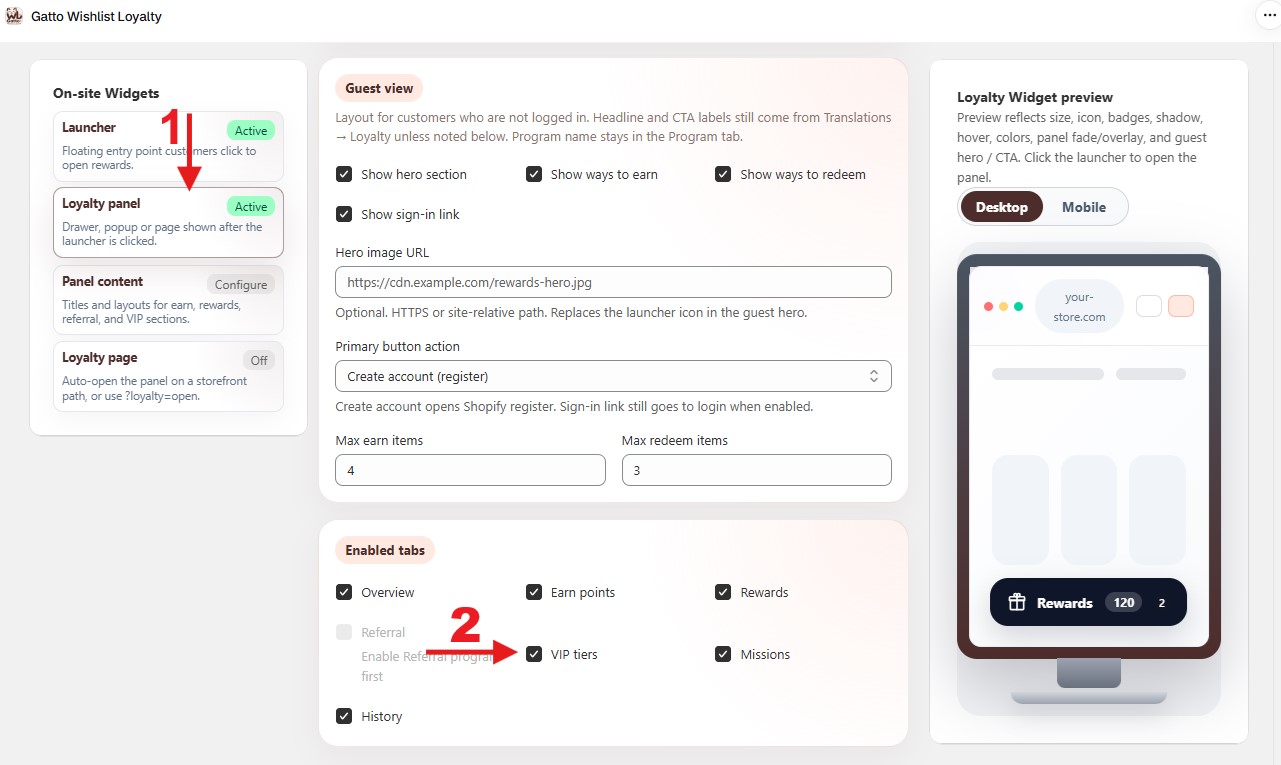
Turn on VIP tiers under On-site Widgets → Loyalty panel → Enabled tabs, and optionally configure the VIP section under On-site Widgets → Panel content (title and progress). This is panel content only - not a separate floating widget.
¶ Tips
- After changing milestones or timeframe, use Recalculate so existing members move to the correct tier.
- Tier earn multipliers apply on top of the base purchase rate and any active campaign.
- Confirm a test member’s tier on Loyalty Members and the VIP tab in the storefront panel.
- Check Loyalty Reports → VIP tier distribution after a busy sales period.